
0
購物車內沒有任何產品
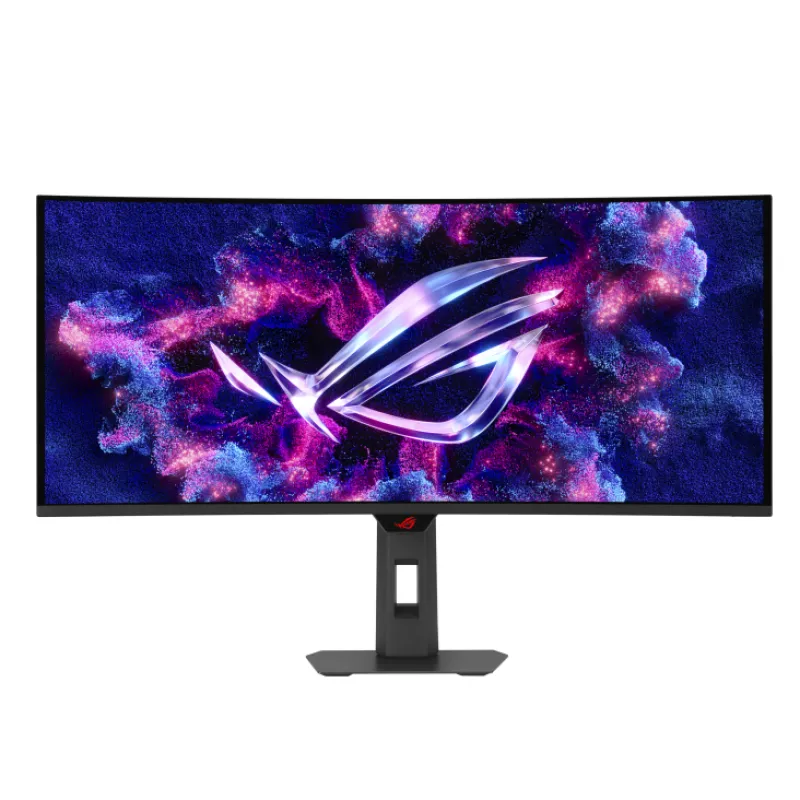
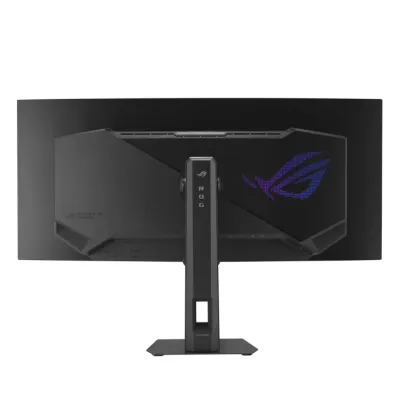
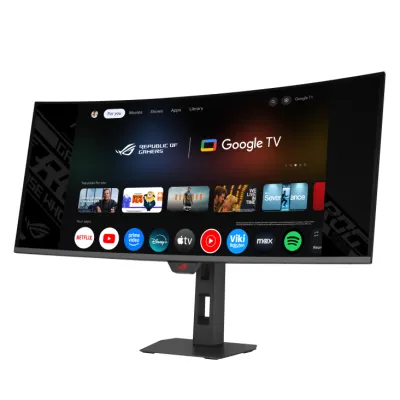
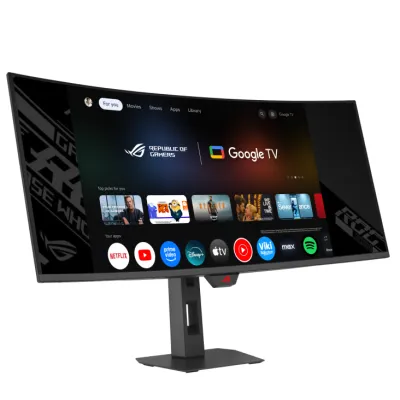
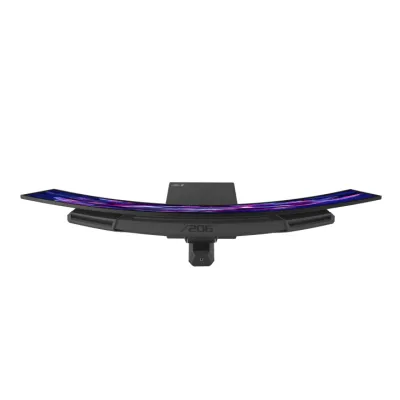
ASUS ROG Strix OLED XG34WCDMTG 曲面智能電競顯示器 34-inch 3440x1440,OLED, 240Hz, 0.03ms (GTG),Android 14 Google TV, WiFi 6 Monitor
商品特色
分辨率:3440×1440。
刷新率:240Hz。
響應時間:0.03ms(灰階響應時間)。
色彩表現:DCI - P3 色域覆蓋率達 99%,原生 10bit 色深,色彩精準度 ΔE<2,對比度為 1500000:1。
護眼功能:搭載 ASUS OLED Care Pro 技術,配備 Neo 近距離傳感器,可在用戶離開時切換到黑色畫面,降低燒屏風險。
接口:擁有 DisplayPort 1.4、HDMI 2.1×2、USB Hub,還配備支持 90W 功率傳輸的 USB - C 接口。
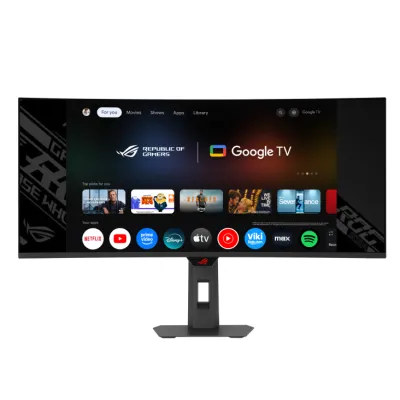
其他功能:內置基於 Android 14 的 Google TV 系統,預裝 NVIDIA GeForce NOW,支持 Wi - Fi 6。配備 5W×2 的揚聲器,支持 Dolby Vision 和 Dolby Atmos,帶來出色的視聽體驗。此外,還支持 AMD FreeSync Premium Pro、Nvidia G - Sync 及 VESA AdaptiveSync 等抗畫面撕裂技術。
加購品
HK$65

HK$20

HK$189

價格:

HK$8,599

復活節感謝祭:
Loading...
秒殺:
Loading...
數量:

對產品有疑問? 歡迎聯絡客服

ROG Strix OLED XG34WCDMTG

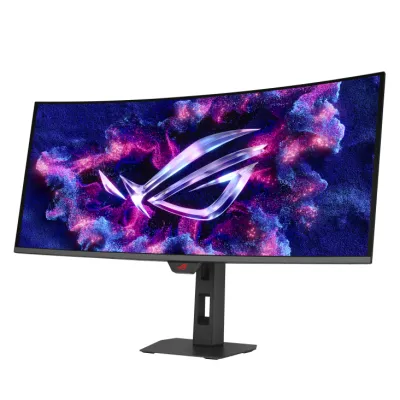
ROG Strix OLED XG34WCDMTG Curved Gaming Monitor – 34-inch 3440x1440, 240Hz, 0.03ms (GTG), FreeSync & G-Sync Compatible, Android 14 Google TV, WiFi 6, NVIDIA GeForce NOW Pre-Installed, Dolby Vision & Dolby Atmos

  • Ultra-Wide 34" WQHD QD-OLED Curved Screen (3440x1440) with 240Hz Refresh Rate – Delivers immersive gaming with tear-free, ultra-responsive performance
  • Smart Google TV with Android 14 – Stream apps, movies, and shows seamlessly
  • High-Speed WiFi 6 with NVIDIA GeForce NOW Pre-Installed – Low latency for online gaming, fast downloads, streaming, and instant cloud gaming
  • Dolby Vision & Dolby Atmos (5W x 2 Embedded Speakers) – Stunning HDR visuals and immersive cinematic sound without extra speakers
  • Immersive Gaming Visuals – VESA DisplayHDR™ 400 True Black, 99% DCI-P3 bring vibrant, lifelike colors and deep contrast
  • Extensive Connectivity Options – DisplayPort 1.4, HDMI 2.1 x2, USB Hub, and USB-C with 90W Power Delivery for laptops and peripherals
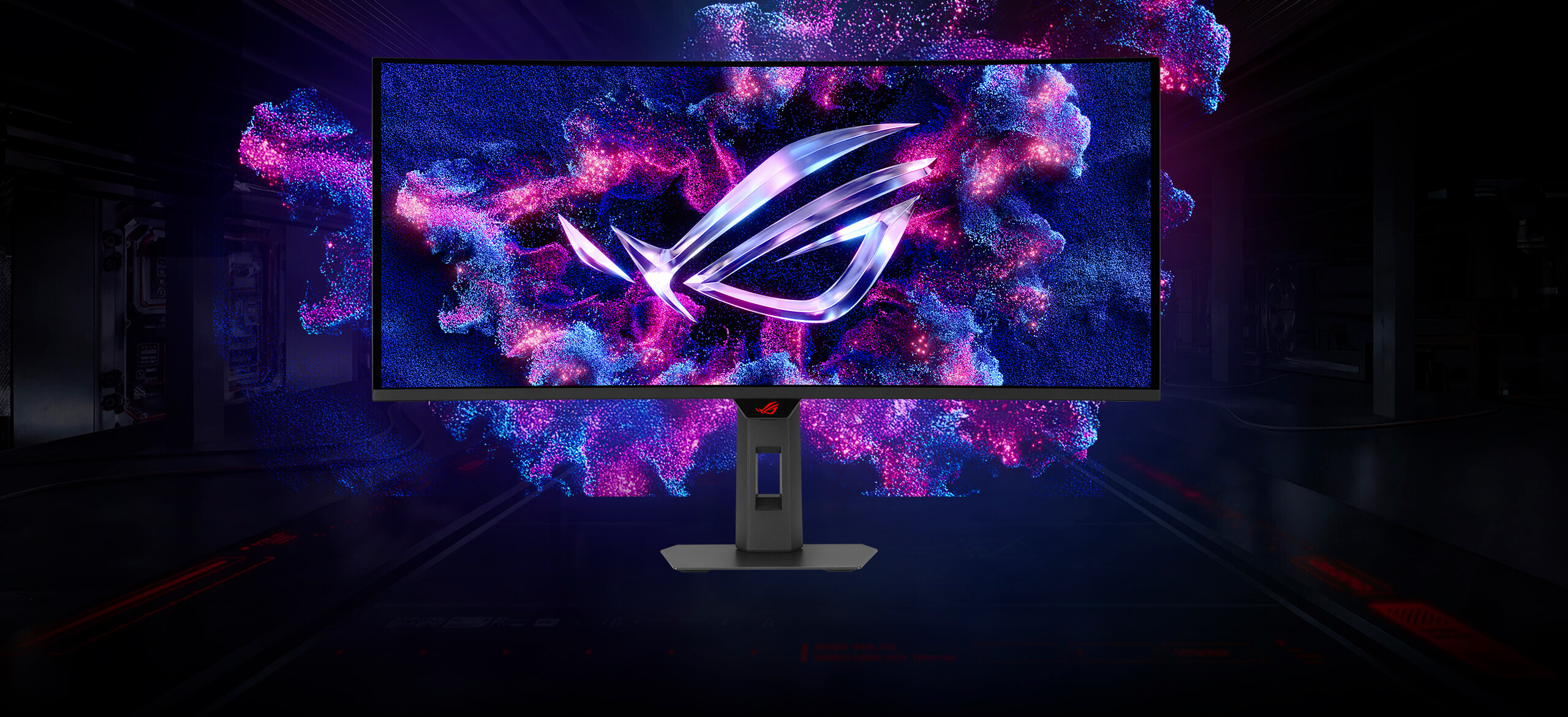
An image of ROG Strix OLED XG34WCDMTG
ONE FOR ALL

ROG Strix OLED XG34WCDMTG

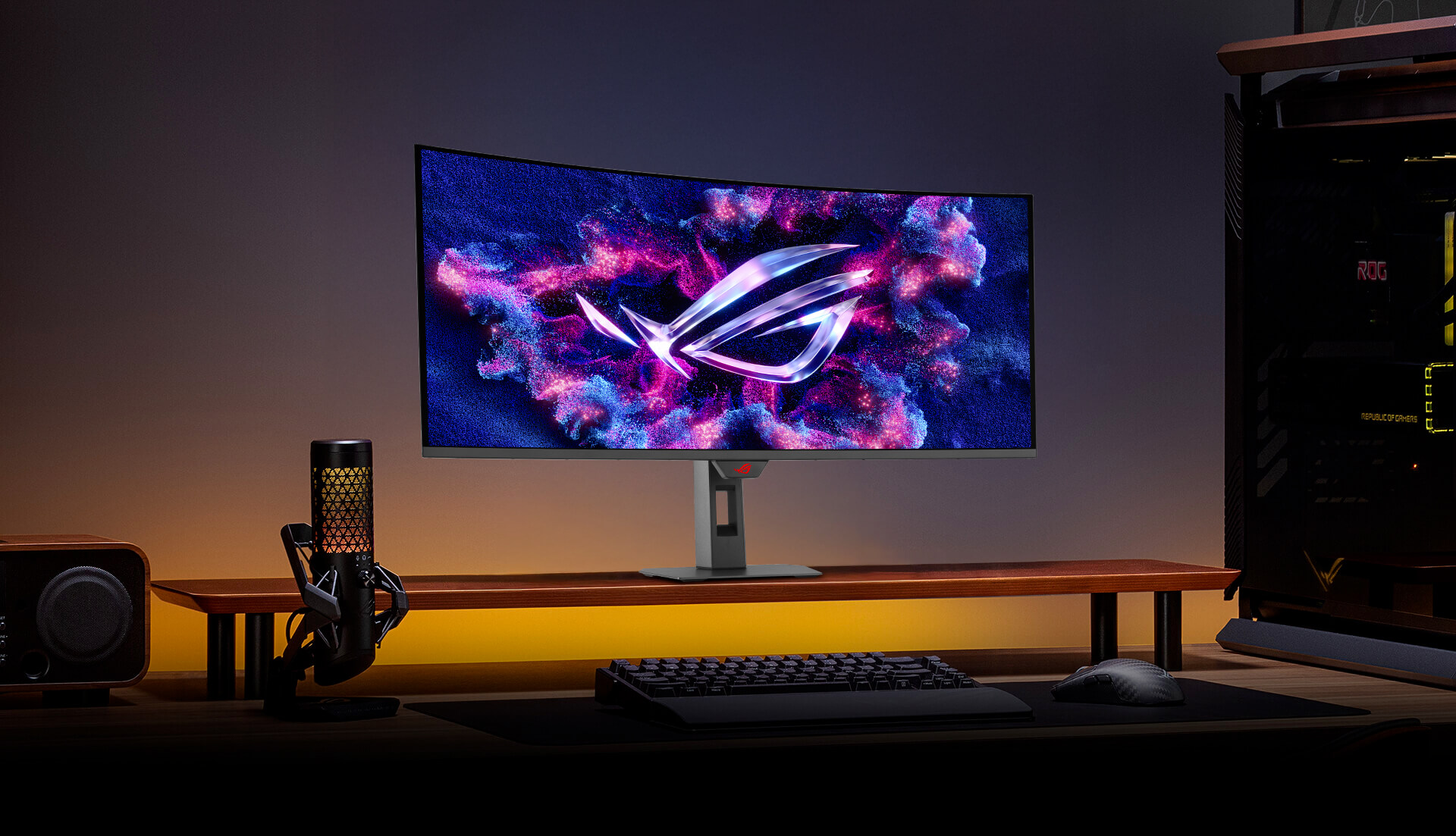
The ROG Strix OLED XG34WCDMTG is a 34-inch, 240Hz ultra-wide QD-OLED gaming monitor. With the addition of the Neo Proximity Sensor in the new ROG OLED Care Pro suite, the monitor transitions to a black screen when no user is detected, guarding against burn-in. The monitor also comes with built-in Google TV, giving you instant access to a vast library of streaming apps, movies, and shows. Enjoy your favorite entertainment and games seamlessly — all in one display, no external devices required.

  • QD-OLED Technology

  • 1800R CURVATURE

    IMMERSIVE GAMING

    99% DCI-P3

    TRUE 10 BIT

    Extreme Low Motion Blur

    Incredible Motion Clarity

  • 34-inch

    3440X1440

    240Hz

    0.03 ms

    response time

  • CUSTOM
    HEATSINK

    ASUS OLED
    Care Pro

    Neo Proximity
    Sensor

  • Google TV

    DELTA E < 2

    Adjustable HDR

    VESA DisplayHDR™ True Black 400
  • UNIFORM BRIGHTNESS

    MultiScreen

    3-year coverage

    TYPE-C Power Delivery 90W

G27UCDM monitor on a screen stand with a mic in the foreground
ROG

IMMERSIVE GAMEPLAY

Designed for discerning gamers and professional creators, it offers a resolution of 3440x1440 and 1800R curvature for smooth and immersive gaming visuals.

QD-OLED TECHNOLOGY

Incredible Motion Clarity

Benefits of OLED

Advantages of OLED technology

The latest ASUS OLED panels offer extremely high contrast ratios to deliver the darkest black hues as well as the most vivid colors, helping create immersive visuals for gaming and for creative endeavors. Plus, an astounding 0.03 ms gray-to-gray response time ensures supersmooth, low-latency visuals.

  • 1.5M :1contrast ratio
  • 0.03 msresponse time
  • 99%DCI-P3 gamut
  • Delta E < 2
A crowd watching a live broadcast of a battle

Incredible Motion Clarity

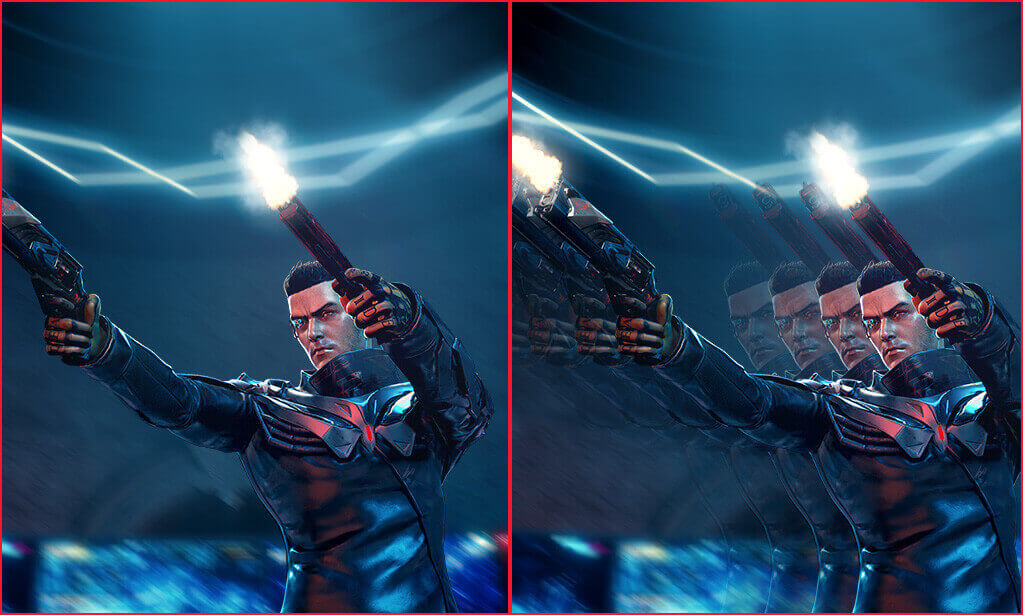
Exclusive ASUS Extreme Low Motion Blur technology reduces ghosting and motion blur.

A screenshot of an in-game character firing two guns / A screengrab of an in-game character firing two guns, with the image showing considerable motion blur.

WITH ELMB

WITHOUT ELMB

Advantages of OLED technology

The latest ASUS OLED panels offer extremely high contrast ratios to deliver the darkest black hues as well as the most vivid colors, helping create immersive visuals for gaming and for creative endeavors. Plus, an astounding 0.03 ms gray-to-gray response time ensures supersmooth, low-latency visuals.

  • 1.5M :1contrast ratio
  • 0.03 msresponse time
  • 99%DCI-P3 gamut
  • Delta E < 2
A crowd watching a live broadcast of a battle

Incredible Motion Clarity

Exclusive ASUS Extreme Low Motion Blur technology reduces ghosting and motion blur.

A screenshot of an in-game character firing two guns / A screengrab of an in-game character firing two guns, with the image showing considerable motion blur.

WITH ELMB

WITHOUT ELMB

Entertainment you love

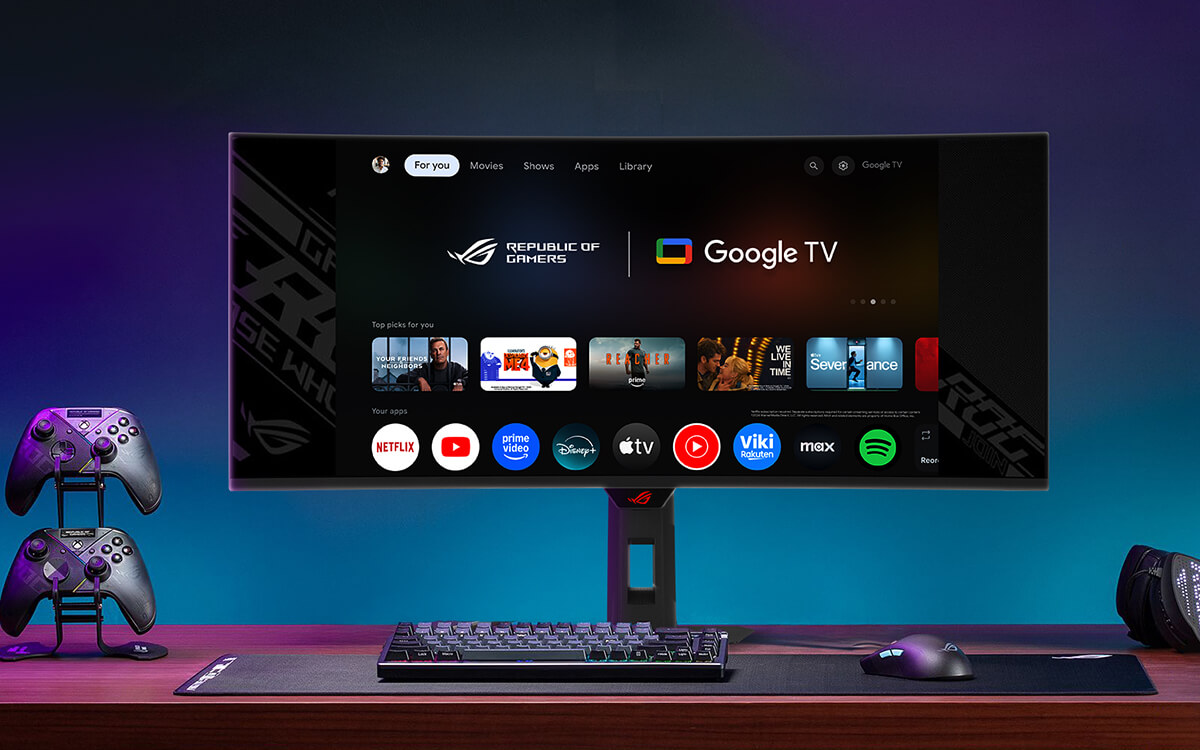
Google TV™ brings together your streaming apps, so movies, shows, and live TV* are all in one place.
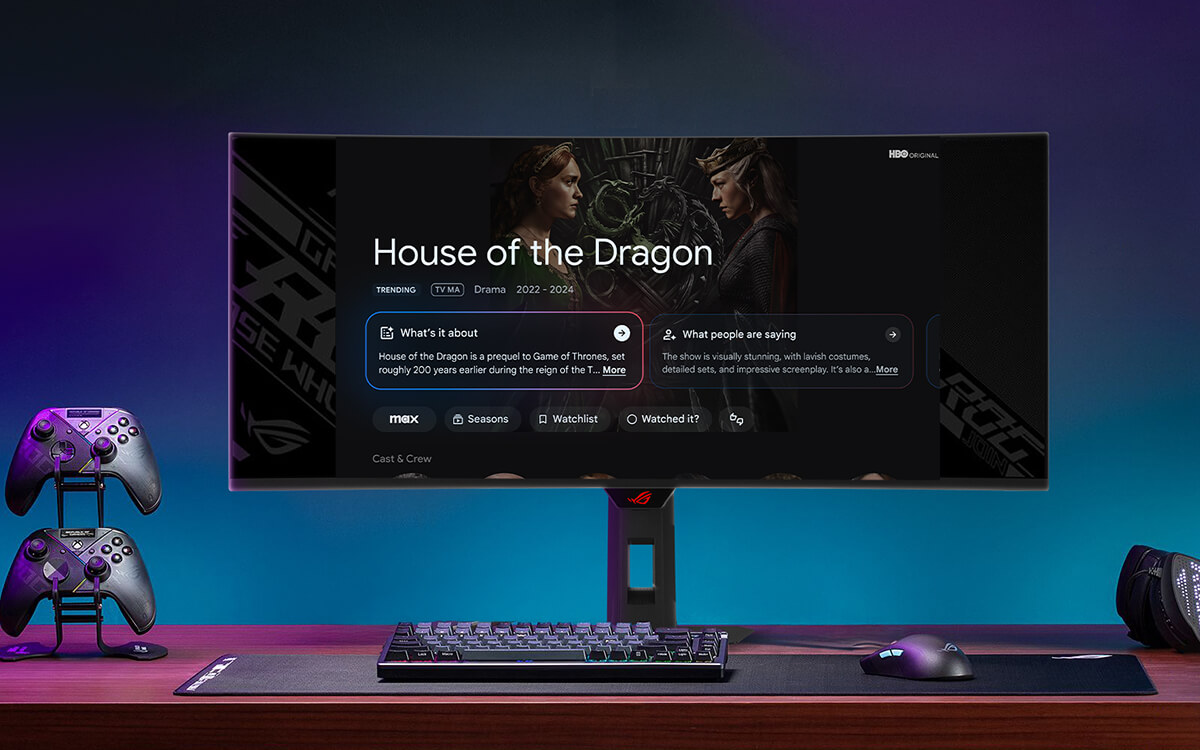
Enhance movie and show overviews using Gemini technology

With Gemini capabilities on Google TV you can now get full summaries, reviews and season-by-season breakdowns of content, so finding your next marathon-watch just got easier.

A gaming setup with ROG gaming monitor displaying the Google TV AI overview interface

No more jumping between apps

Google TV™ brings together 700,000+ movies, shows, and more across 10,000+ apps, plus 800+ free live TV channels — organized in one place.

A gaming setup with ROG gaming monitor displaying the Google TV interface

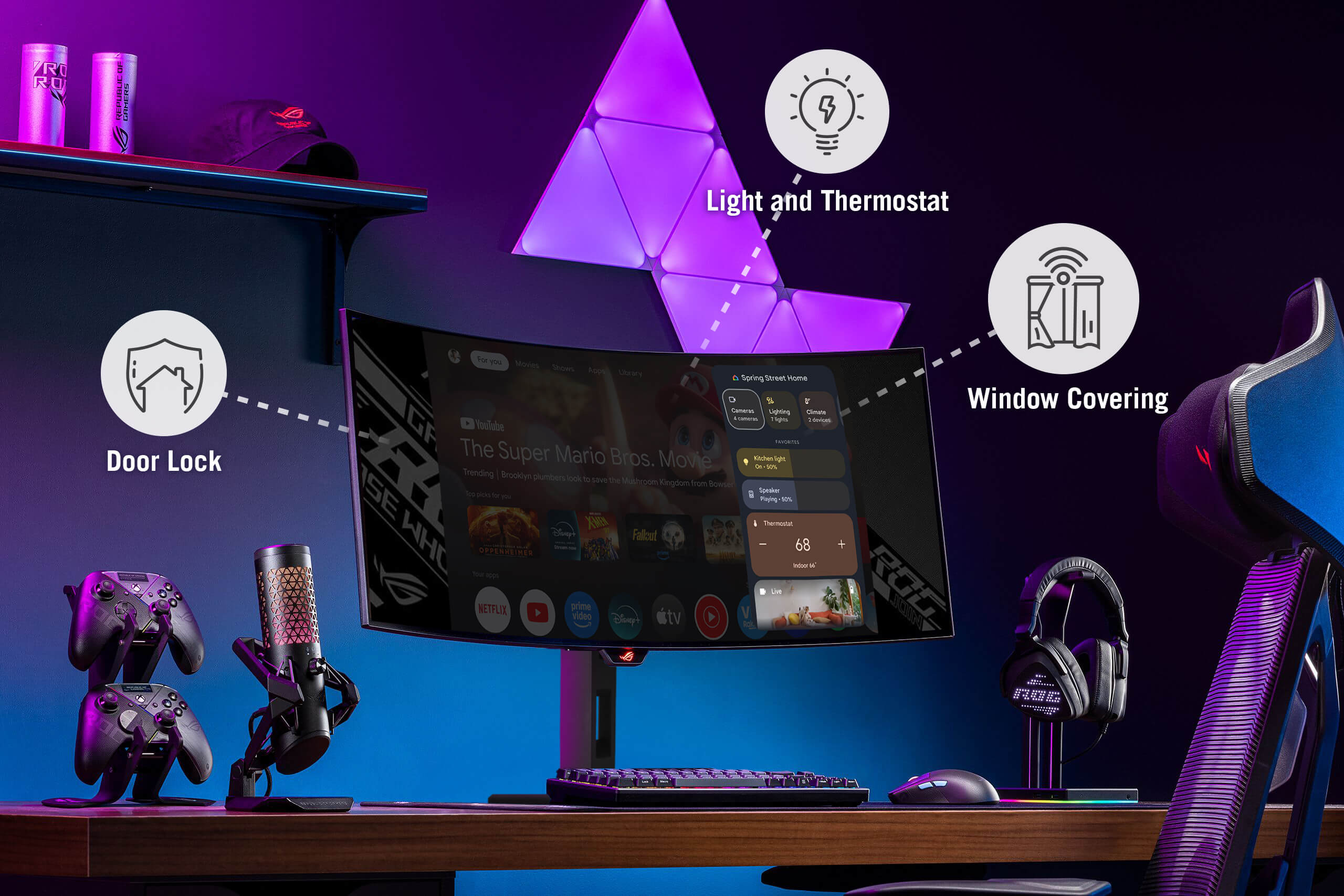
The center of your smart home

Make your Google TV the center of your smart home. Control lights, temperature, and more from the new home panel, get doorbell notifications and full-screen views of your cameras and use your voice to control it all—just ask Google Assistant.

A gaming setup with ROG gaming monitor displaying the Google TV Home panel interface

Enhance movie and show overviews using Gemini technology

With Gemini capabilities on Google TV you can now get full summaries, reviews and season-by-season breakdowns of content, so finding your next marathon-watch just got easier.

A gaming setup with ROG gaming monitor displaying the Google TV AI overview interface

No more jumping between apps

Google TV™ brings together 700,000+ movies, shows, and more across 10,000+ apps, plus 800+ free live TV channels — organized in one place.

A gaming setup with ROG gaming monitor displaying the Google TV interface

Screen Protection

ASUS OLED CARE PRO

New ASUS OLED Care Pro technology provides a full set of customizable monitor settings to protect the OLED panel and ensure longevity. Plus, it includes the new Neo Proximity Sensor that detects your distance from the monitor and transitions to a black image when you’re away to safeguard the panel from burn-in. All settings can be easily managed via DisplayWidget Center.

Learn more

Neo Proximity Sensor

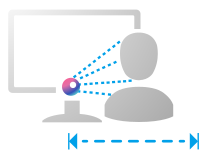
The built-in Neo Proximity Sensor precisely detects your distance from the monitor. When you step away, the monitor transitions to a black image to protect against panel burn-in, and instantly restores onscreen content when you return. Detection distance can be customized to suit personal preference, ensuring maximum convenience and protection.

*Please ensure that the monitor sensor is properly angled and cleaned by using the included microfiber cloth before activating the detection function.

Automatically Transition to Black Image

Customize Detection Distance

The pixel cleaning reminder pop-up

Pixel cleaning

Recalibrates the screen when the monitor has been active for several hours―a process that takes just a few minutes and activates automatically when the monitor is turned off*
*Do not unplug the power cord during this time as it will interrupt the pixel-cleaning process.
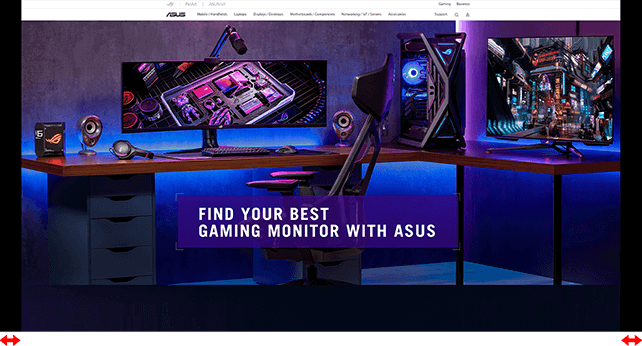
Screenshot of a web browser with black bars on the left and right of the screen to show the effect of the OLED Care+’s Screen Move feature.

SCREEN MOVE

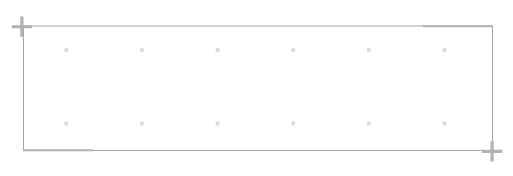
Pixel locations are slightly shifted periodically to help prevent burn-in, and users can choose between several movement levels.
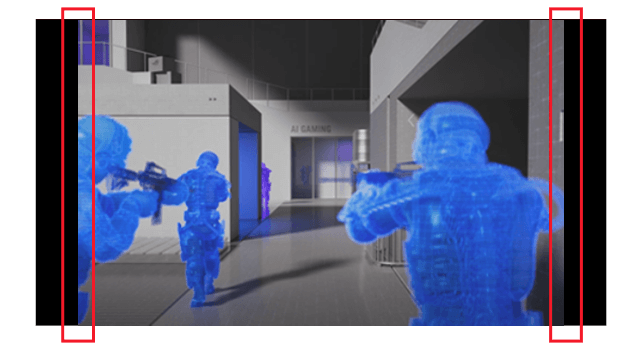
Screenshot of three soldiers with guns raised, there are black bars on the left and right of the image when the Boundary Detection feature is activated

Boundary detection

Dynamically detects the boundary of the black bars and reduces the brightness and also slightly shifts the pixel of the near borders.

Built to Last

Worry-free OLED Monitor

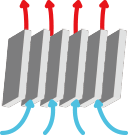
ROG OLED monitors are engineered to deliver stunning visuals for years to come. An innovative custom heatsink and a unique internal airflow improve cooling and reduce the risk of burn-in.

3 year warranty icon
Image showing airflow through the monitor


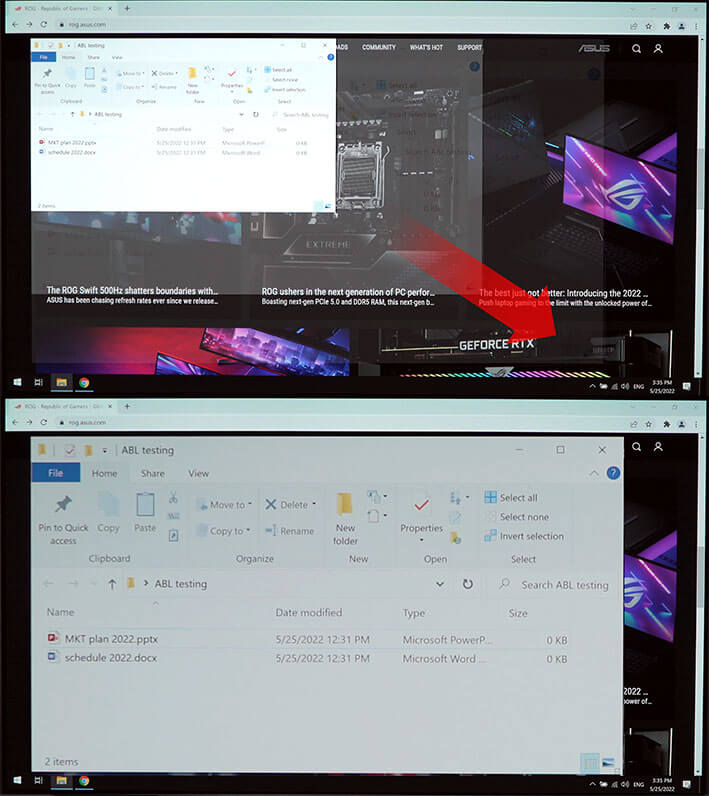
Uniform brightness

The Uniform Brightness setting can now be adjusted directly from the Google menu. This feature decreases peak brightness to maintain consistent levels for better viewing—even when the size of bright white windows changes—and makes marathon gaming sessions more comfortable for the eyes.

WITH uniform brightness setting
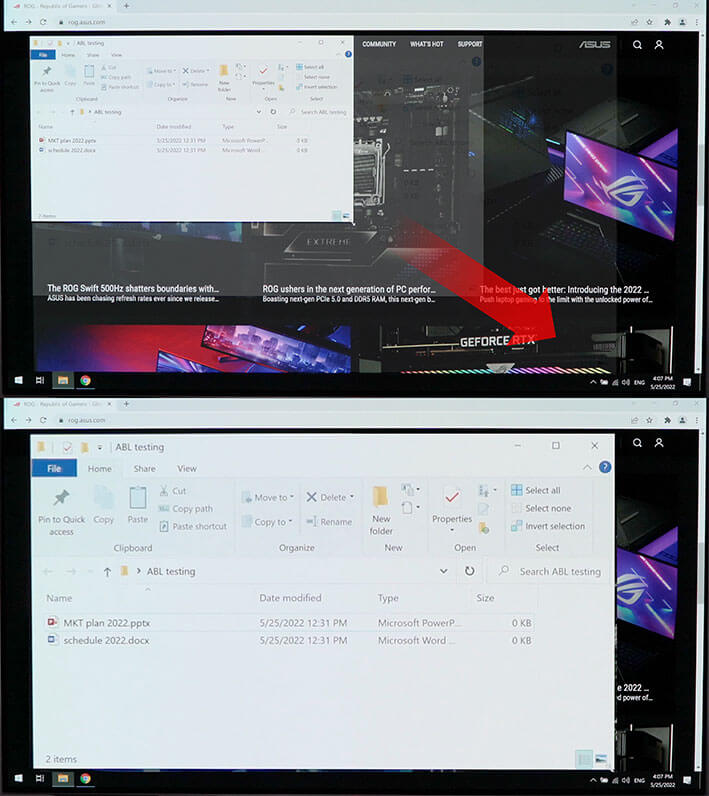
Comparison images showing a white window being enlarged in the first image, with the second image showing no change in display brightness

WITHOUT uniform brightness setting

Comparison images showing a white window being enlarged in the first image, with the second image showing a dimmer display.
*When the monitor is in sRGB mode

MultiScreen

With this feature, you can enjoy seamless cross-platform entertainment and control multiple devices using a single keyboard and mouse — no KVM switch required — while your phone stays connected and charges at the same time.
The new Cross Share app further enhances connectivity, allowing you to effortlessly transfer files, images, and content across devices without system limitations.
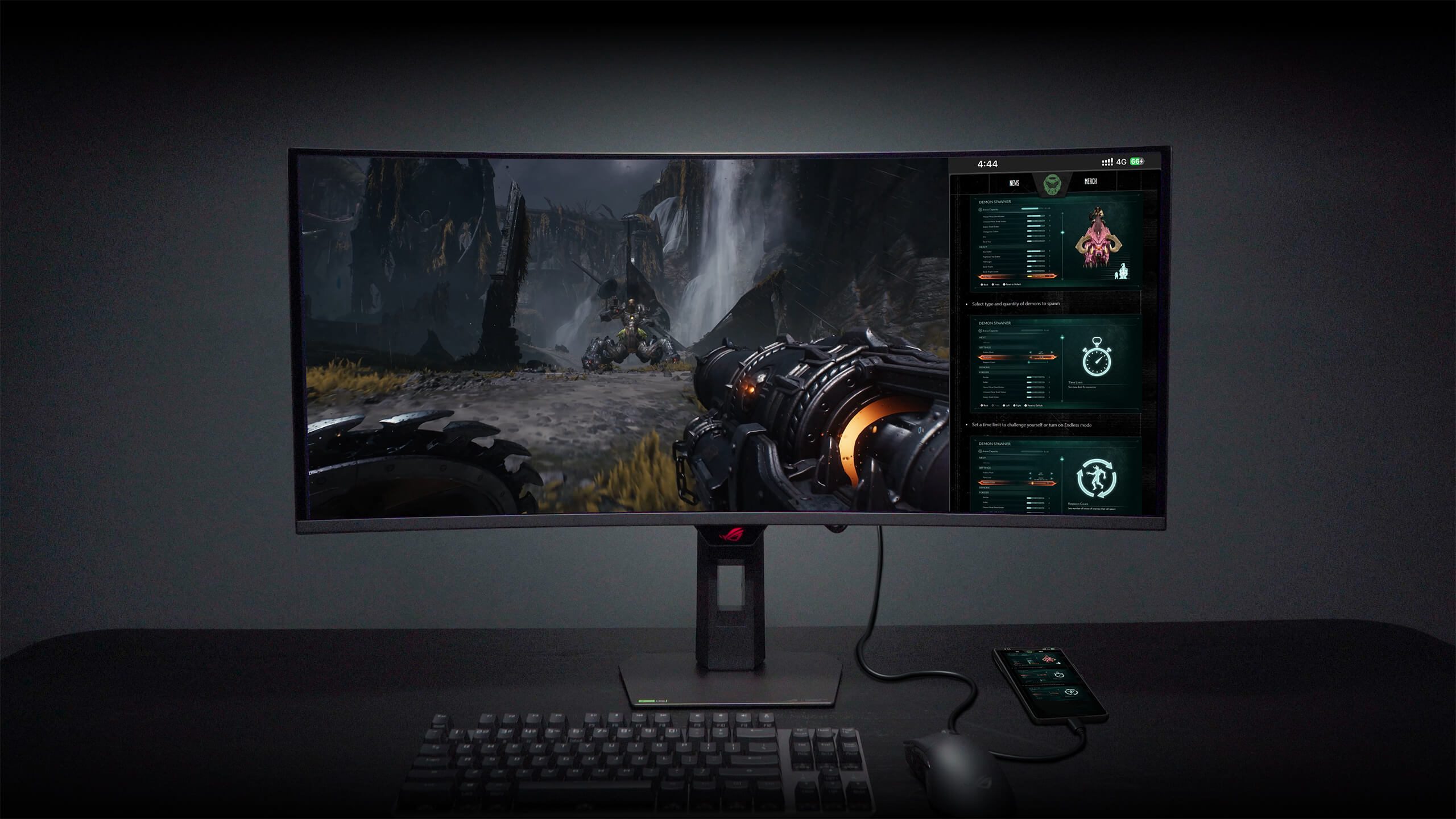
A gaming setup demonstrating a monitor feature that displays a 16:9 PC game alongside a connected mobile phone's screen content on the same display, with icons highlighting file and folder management between the two sources.


SMOOTH AND RESPONSIVE

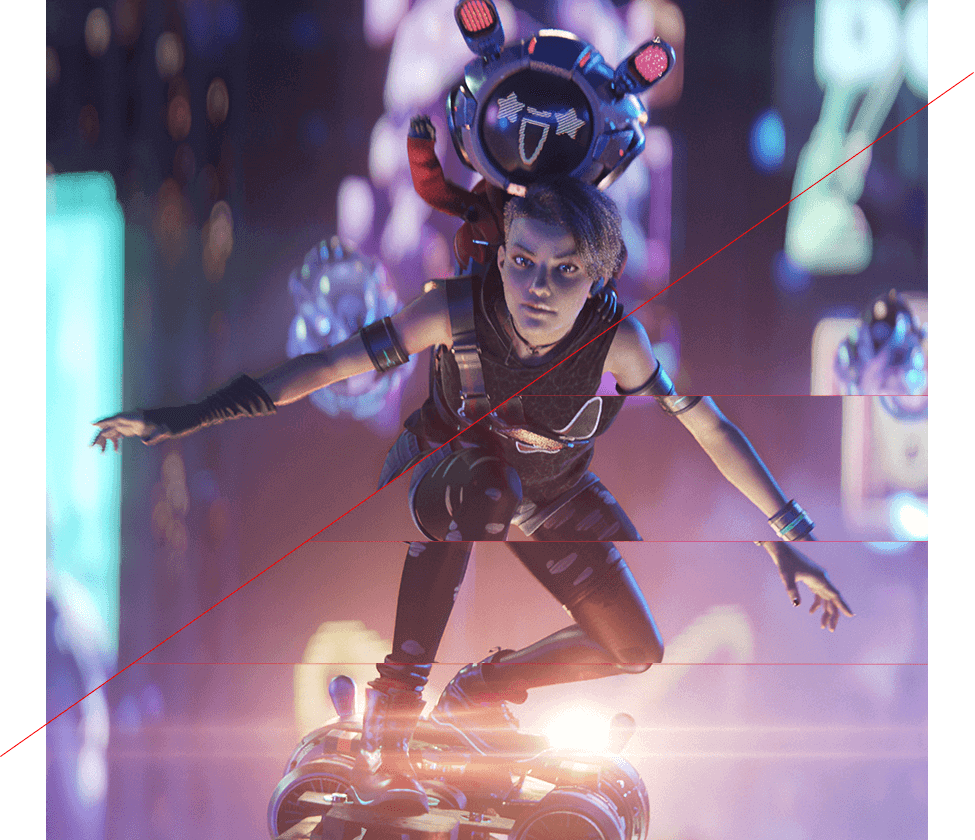
The XG34WCDMTG features AMD FreeSync Premium Pro technology and NVIDIA® G-SYNC® compatibility, ensuring supersmooth, tear-free visuals with low latency.
*In processing, please check the respective official webpage for the latest compatible list.

*Certification in process, please check the respective official webpage for the latest compatible list.

Image of two characters riding a flying hoverboard, with one character’s body showing some screen tearing when VRR technology is off.

VRR ON

VRR OFF

In-game enhancements

The ASUS-exclusive integrated GamePlus hotkey offers in-game enhancements. Co-developed with input from pro gamers, GamePlus enables you to practice and improve gaming skills with the ROG Gaming AI technology-enhanced Dynamic Crosshair.

The various functions of GamePlus
  • “The FPS game scene; the Stopwatch overlay can be seen on the upper-left corner of the screen
  • A crosshair overlay in the middle of the screen
  • The FPS game scene; the Timer overlay can be seen on the upper-left corner of the screen
  • The FPS game scene; the FPS counter overlay can be seen on the upper-right corner of the screen
  • The FPS game scene; with the display alignment feature activated
  • The Sniper feature zooms in on the head of the soldier in the middle of the screen

ROG GAMING AI TECHNOLOGY

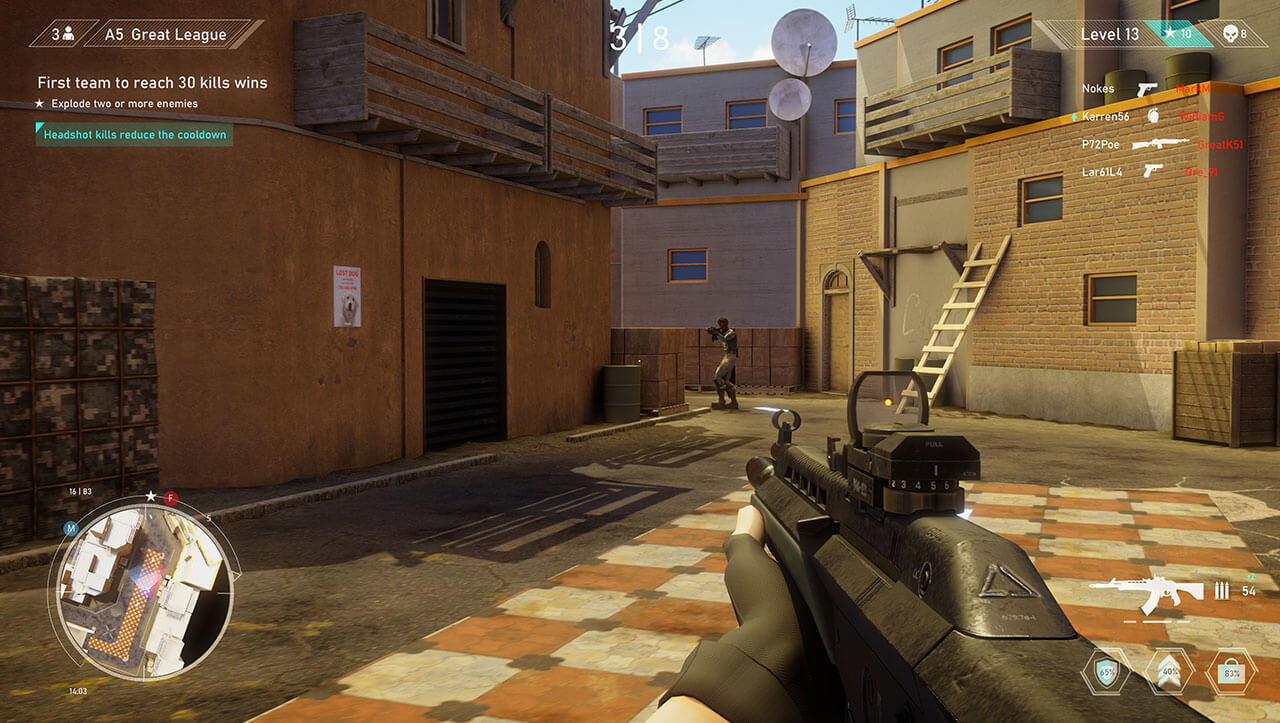
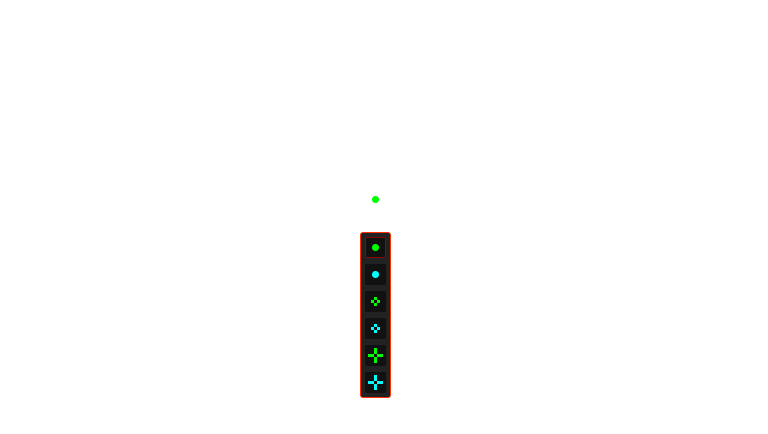
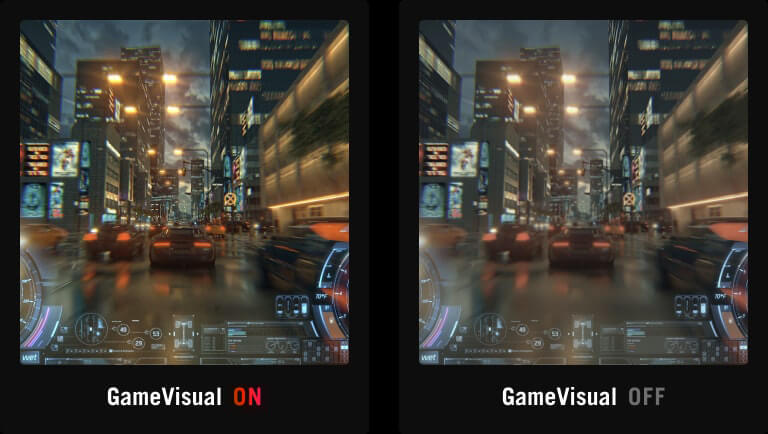
The ROG Gaming AI Assisant technology in XG34WCDMTG includes Dynamic Crosshair and Dynamic Shadow Boost, leveraging AI technology to help you practice more effectively to improve your gaming experience.

Dynamic Crosshair

Dynamic Shadow Boost

Dynamic Crosshair

Automatically changes the crosshair to a color that contrasts with the background, so it stands out for more accurate aim.

The crosshair color changes from green to red when Dynamic Crosshair is activated
*Images/videos may be simulated and dramatized for illustrative purposes.

PLAY IN ULTRAVIVID HDR

Experience breathtaking HDR visuals with Dolby Vision and rich, room-filling audio from Dolby Atmos through the powerful built-in 5W speakers — delivering true cinematic immersion without the need for external speakers.
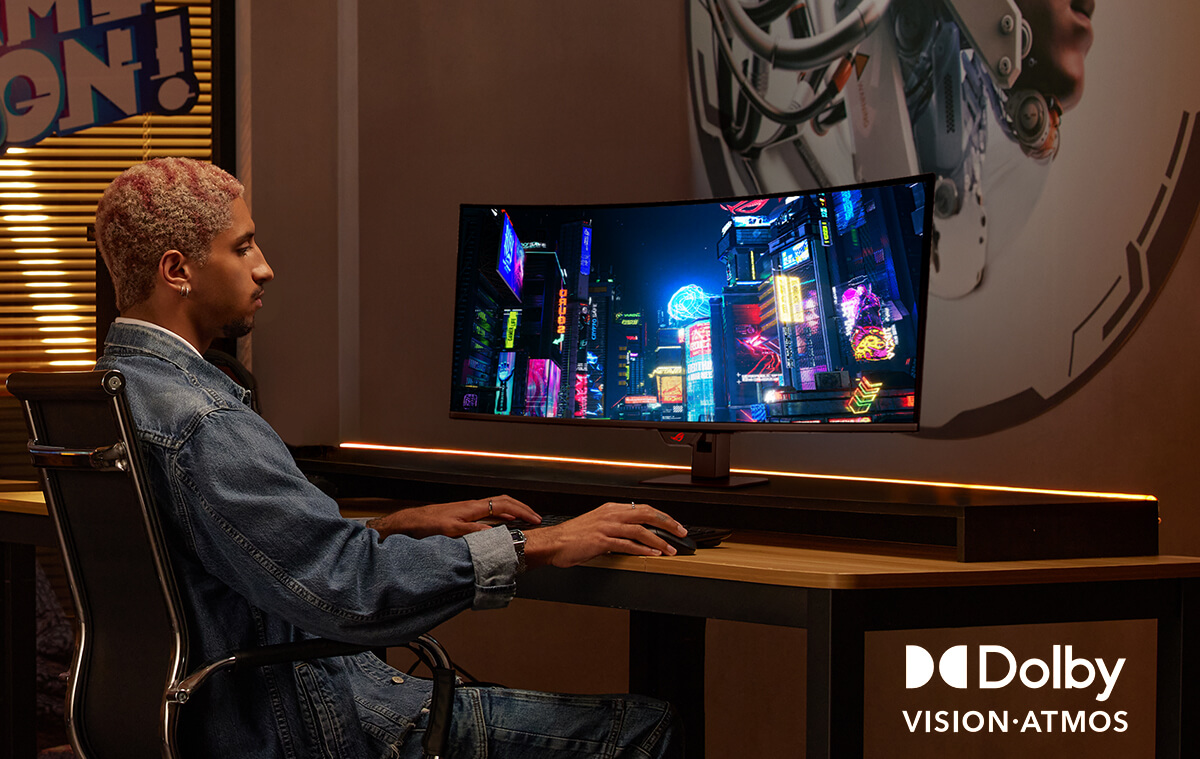

A man sits in front of dual-monitor setup, using keyboard and mouse to edit a video.

Model

ROG Strix OLED XG27AQWMG 電競螢幕

螢幕

面板尺寸 (吋):26.5
長寬比:16:9
顯示畫面尺寸(水平x垂直):590.42 x 331.88 mm
顯示面板:Glossy (TrueBlack Glossy)
背光類型:OLED
面板類型:WOLED
可視角度 (CR≧10, H/V):178°/ 178°
像素間距:0.229mm
解析度:2560x1440
色彩飽和度 (DCI-P3):99.5%
亮度 (HDR, Peak):1,500 cd/㎡
對比率(Typ.) :1,500,000:1
顯示色彩:1073.7M (10 bit)
反應時間:0.03ms(GTG)
畫面更新率 (最大值):280Hz
支援 HDR (高動態範圍):HDR10
不閃屏技術:Yes
ASUS OLED Care : Yes

影像特色

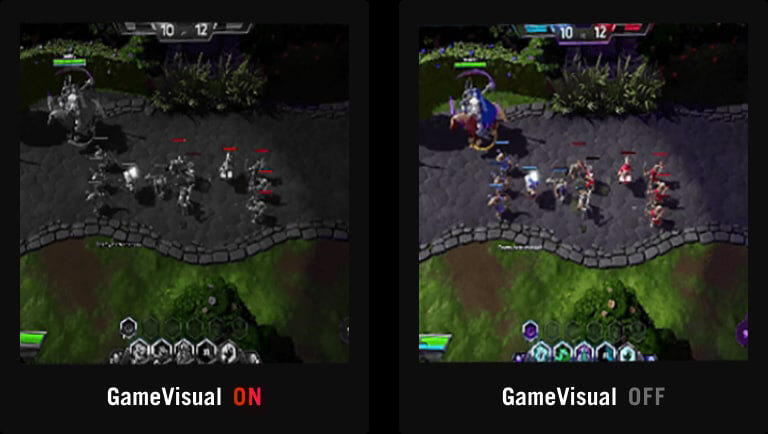
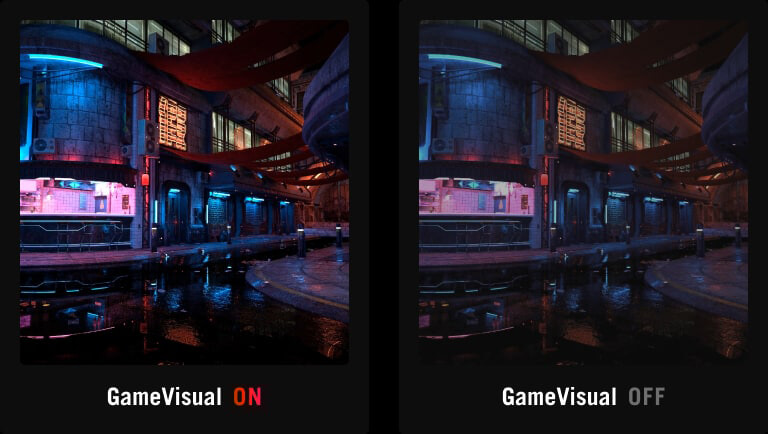
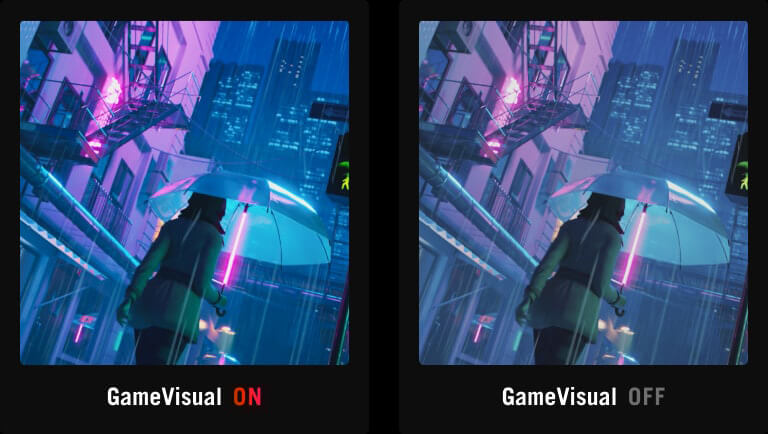
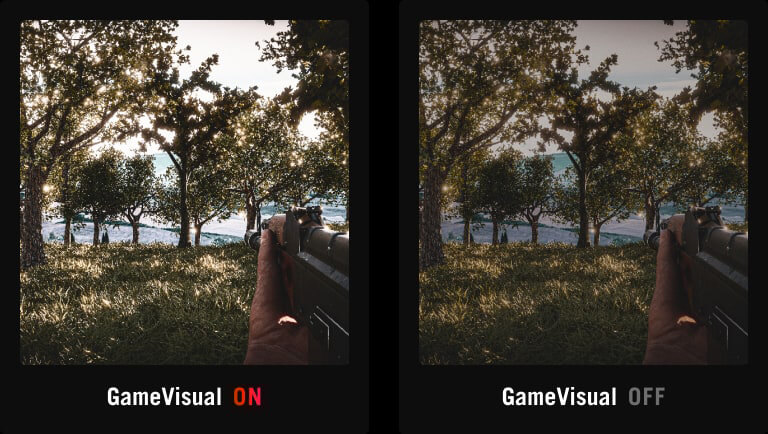
GameVisual 模式 :Yes
色溫選擇:Yes (8 modes)
Color Adjustment : 6-axis adjustment (R,G,B,C,M,Y)
Gamma 調整:Yes (Support Gamma 1.8/2.0/2.2/2.4/2.6)
色彩準確性 :△E< 2
GamePlus :Yes
支援HDCP:Yes, 2.3
可變更新率 (VRR):Yes (Adaptive-Sync)
GameFast Input technology :
Shadow Boost :Yes
應用軟體 DisplayWidget :Yes, DisplayWidget Center
低藍光模式:Yes (Hardware Solution)
ASUS Power Sync : Yes
A.I. Assistant Technology : AI Visual
A.I. Assistant Technology : Dynamic Crosshair
A.I. Assistant Technology : Dynamic Shadow Boost

聲音特色

揚聲器:No

I/O連接埠

DisplayPort 1.4 DSC x 1
HDMI(v2.1) x 2
USB Hub:2x USB 3.2 Gen 1 Type-A
耳機插孔:Yes

訊號頻率

數位訊號頻率:HDMI: 30~480 KHz (H) / 41~280Hz (V)
DP: 480~480 KHz (H) / 41~280Hz (V)

耗電量

電源開啟(Typical):<26.8W
省電模式:<0.5W
電源關閉模式 :<0.3W
電壓:100-240V, 50/60Hz

機構設計

前後傾斜:Yes (+20° ~ -5°)
左右旋轉:Yes (+45° ~ -45°)
上下旋轉:Yes (+90° ~ -90°)
高度調整:0~110mm
燈光效果:Aura Sync
近接感應器:Neo Proximity Sensor
VESA 牆掛:100x100mm
Kensington 防盜鎖孔:Yes
1/4" Tripod Socket : Yes

產品尺寸

實體 裝上底座的尺寸(寬x高x深):60.5 x 50.0 x 18.8 cm (23.82" x 19.69" x 7.40")
實體 不含底座尺寸 (寬 x 高 x 深):60.5 x 36.8 x 6.3 cm (23.82" x 14.49" x 2.48")
外箱尺寸 (寬 x 高 x 深) :78.0 x 47.0 x 18.6 cm (30.71" x 18.50" x 7.32")

重量

淨重:6.7 kg (14.77 lbs)
淨重不含底座:4.8 kg (10.58 lbs)
毛重:9.1 kg (20.06 lbs)

配件

DisplayPort cable
HDMI 傳輸線
Microfiber cloth
Power cord
Quick start guide
ROG pouch
ROG sticker
USB Type-B to A cable
VESA mount kit
Warranty Card

安規認證

TÜV Flicker-free
TÜV Low Blue Light (Hardware Solution)
VESA AdaptiveSync Display 280Hz
VESA DisplayHDR 500 True Black
AMD FreeSync Premium Pro
G-SYNC Compatible
FSC MIX

Warranty

3 years (including panel burn-in)

Model

ROG Strix OLED XG27AQWMG 電競螢幕

螢幕

面板尺寸 (吋):26.5
長寬比:16:9
顯示畫面尺寸(水平x垂直):590.42 x 331.88 mm
顯示面板:Glossy (TrueBlack Glossy)
背光類型:OLED
面板類型:WOLED
可視角度 (CR≧10, H/V):178°/ 178°
像素間距:0.229mm
解析度:2560x1440
色彩飽和度 (DCI-P3):99.5%
亮度 (HDR, Peak):1,500 cd/㎡
對比率(Typ.) :1,500,000:1
顯示色彩:1073.7M (10 bit)
反應時間:0.03ms(GTG)
畫面更新率 (最大值):280Hz
支援 HDR (高動態範圍):HDR10
不閃屏技術:Yes
ASUS OLED Care : Yes

影像特色

GameVisual 模式 :Yes
色溫選擇:Yes (8 modes)
Color Adjustment : 6-axis adjustment (R,G,B,C,M,Y)
Gamma 調整:Yes (Support Gamma 1.8/2.0/2.2/2.4/2.6)
色彩準確性 :△E< 2
GamePlus :Yes
支援HDCP:Yes, 2.3
可變更新率 (VRR):Yes (Adaptive-Sync)
GameFast Input technology :
Shadow Boost :Yes
應用軟體 DisplayWidget :Yes, DisplayWidget Center
低藍光模式:Yes (Hardware Solution)
ASUS Power Sync : Yes
A.I. Assistant Technology : AI Visual
A.I. Assistant Technology : Dynamic Crosshair
A.I. Assistant Technology : Dynamic Shadow Boost

聲音特色

揚聲器:No

I/O連接埠

DisplayPort 1.4 DSC x 1
HDMI(v2.1) x 2
USB Hub:2x USB 3.2 Gen 1 Type-A
耳機插孔:Yes

訊號頻率

數位訊號頻率:HDMI: 30~480 KHz (H) / 41~280Hz (V)
DP: 480~480 KHz (H) / 41~280Hz (V)

耗電量

電源開啟(Typical):<26.8W
省電模式:<0.5W
電源關閉模式 :<0.3W
電壓:100-240V, 50/60Hz

機構設計

前後傾斜:Yes (+20° ~ -5°)
左右旋轉:Yes (+45° ~ -45°)
上下旋轉:Yes (+90° ~ -90°)
高度調整:0~110mm
燈光效果:Aura Sync
近接感應器:Neo Proximity Sensor
VESA 牆掛:100x100mm
Kensington 防盜鎖孔:Yes
1/4" Tripod Socket : Yes

產品尺寸

實體 裝上底座的尺寸(寬x高x深):60.5 x 50.0 x 18.8 cm (23.82" x 19.69" x 7.40")
實體 不含底座尺寸 (寬 x 高 x 深):60.5 x 36.8 x 6.3 cm (23.82" x 14.49" x 2.48")
外箱尺寸 (寬 x 高 x 深) :78.0 x 47.0 x 18.6 cm (30.71" x 18.50" x 7.32")

重量

淨重:6.7 kg (14.77 lbs)
淨重不含底座:4.8 kg (10.58 lbs)
毛重:9.1 kg (20.06 lbs)

配件

DisplayPort cable
HDMI 傳輸線
Microfiber cloth
Power cord
Quick start guide
ROG pouch
ROG sticker
USB Type-B to A cable
VESA mount kit
Warranty Card

安規認證

TÜV Flicker-free
TÜV Low Blue Light (Hardware Solution)
VESA AdaptiveSync Display 280Hz
VESA DisplayHDR 500 True Black
AMD FreeSync Premium Pro
G-SYNC Compatible
FSC MIX

Warranty

3 years (including panel burn-in)