

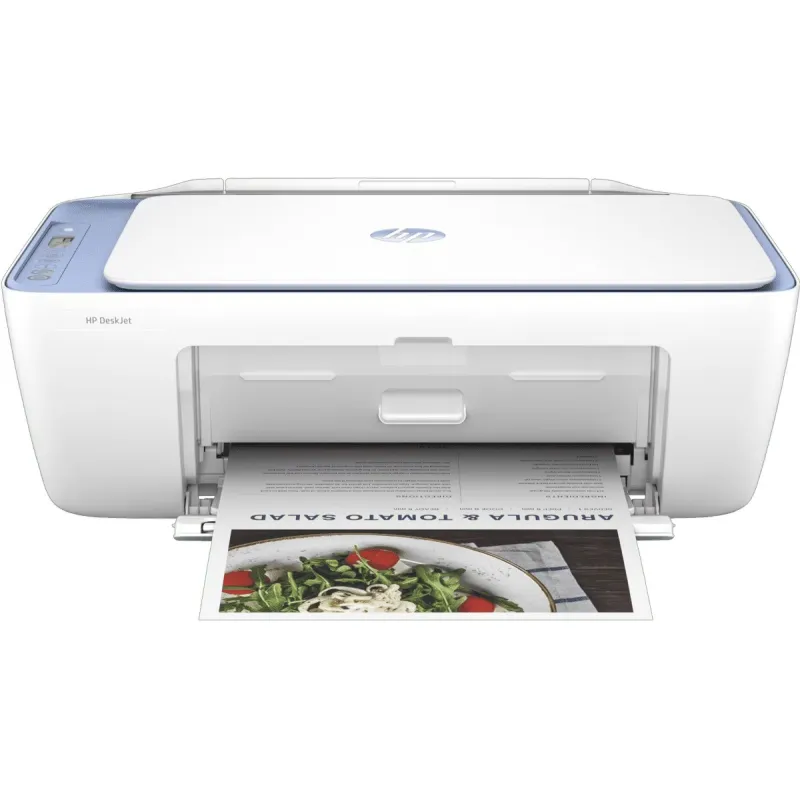
Overview
Get set up and started in a snap by following simple steps on the best and easiest-to-use print app[2]
Get started fast by following simple steps on the best and easiest-to-use print app.[2]
Be always ready to print with our most reliable Wi-Fi® that automatically reconnects if connection is lost[4]
Be always ready to print with our most reliable Wi-Fi® that automatically reconnects if connection is lost.[4]
Join over 12 million people enjoying the world's first smart ink delivery service-up to 50% off on ink.[7], [5]
With an Instant Ink subscription, you can get ink delivered directly to your door before you run out.[5]
Product Info
-
Title
-
HP DeskJet 2823e All-in-One Printer - (588Q3A)
-
Sku
-
588Q3A
-
Product type
-
Inkjet printers
-
Series
-
Deskjet
Features
-
Functions
-
Print scan and copy
-
Functions
-
Print, copy, scan
Printer Specifications
-
Functions
-
Print scan and copy
-
Duty cycle (monthly, letter)
-
Up to 1,000 pages
-
Duty cycle (monthly, A4)
-
Up to 1000 pages
-
Recommended monthly page volume
-
Up to 1,000 pages
-
Target user and print volume
-
For teams up to 3 users; Prints up to 100 pages/month
-
Paper trays, standard
-
1
-
Paper trays, maximum
-
1
-
Print colours
-
Yes
-
Top key features
-
Scan to PDF
-
Print technology
-
HP Thermal Inkjet
-
Envelope feeder
-
No
-
Duplex printing
-
Manual (driver support provided)
-
Multitasking supported
-
No
-
Automatic paper sensor
-
No
-
Vertical alignment accuracy
-
+/- 0.042 mm
Print Speed
-
Print speed black (ISO)
-
Up to 7.5 ppm
-
Print speed color (ISO)
-
Up to 5.5 ppm
-
Print speed black (draft, A4)
-
Up to 20 ppm
-
Print speed colour (draft, A4)
-
Up to 16 ppm
-
Print speed
-
Print speed up to 7.5 ppm (black) and 5.5 ppm (color)
Connectivity and Communications
-
Mobile printing capability
-
HP app; Apple AirPrint; Chrome OS
-
Wireless capability
-
Yes, built-in Wi-Fi 802.11b/g/n
-
Network capabilities
-
Wi-Fi 802.11b/g/n
-
Connectivity, standard
-
1 Hi-Speed USB 2.0 (device); 1 Wi-Fi 802.11b/g/n
Multimedia And Input Devices
-
Fax phone TAM interface supported
-
No
Cartridges and Printheads
-
Number of print cartridges
-
2 (1 each black, tri-color)
-
Ink types
-
Pigment-based (black); Dye-based (color)
-
Color(s) of printing supplies
-
Black; Cyan; Magenta; Yellow
-
Print colors maximum
-
4
-
Replacement cartridges
-
HP 67 Black Original Ink Cartridge (~120 pages yield) 3YM56AN; HP 67XL Black High Yield Original Ink Cartridge (~240 pages yield) 3YM57AN; HP 67 Tri-Color Original Ink Cartridge (~100 pages yield) 3YM55AN; HP 67XL Tri-Color High-Yield Original Ink Cartridge (~200 pages yield) 3YM58AN; HP 305 Black Original Ink Cartridge (~120 pages yield) 3YM61AE; HP 305XL Black High-Yield Original Ink Cartridge (~240 pages yield) 3YM62AE; HP 305 Tri-Color Original Ink Cartridge (~100 pages yield) 3YM60AE; HP 305XL Tri-Color High-Yield Original Ink Cartridge (~200 pages yield) 3YM63AE; HP 805 Black Original Ink Cartridge (~120 pages yield) 3YM73AA; HP 805XL Black High-Yield Original Ink Cartridge (~240 pages yield) 3YM71AA; HP 805 Tri-Color Original Ink Cartridge (~100 pages yield) 3YM72AA; HP 805XL Tri-Color High-Yield Original Ink Cartridge (~200 pages yield) 3YM70AA. Actual yield varies considerably based on content of printed pages and other factors. For details see http://www.hp.com/go/learnaboutsupplies
-
Print head nozzles
-
328 (black), 588 (color)
-
Print heads
-
2 (1 each black, tri-color)
-
Number of print cartridges
-
2 (1 each black, tri-color)
-
Ink types
-
Pigment-based (black); Dye-based (color)
Camera Specifications
-
Video action printing supported
-
No
Printing Media Handling
-
Maximum input capacity (4x6 photo)
-
Up to 20 sheets
-
Maximum input capacity (photo paper)
-
Up to 20 sheets
-
Maximum input capacity (sheets)
-
Up to 60 sheets
-
Maximum input capacity (cards)
-
Up to 20 cards
-
Input capacity
-
Up to 60 sheets
-
Standard input capacity (cards)
-
Up to 20 cards
-
Finished output handling
-
Sheetfed
-
Maximum output capacity (photo paper)
-
Up to 20 sheets
-
Maximum output capacity (envelopes)
-
Up to 5 envelopes
-
Maximum output capacity (sheets)
-
Up to 25 sheets
-
Output capacity
-
Up to 25 sheets
-
Standard output capacity (envelopes)
-
Up to 5 envelopes
-
Standard output capacity (legal)
-
Up to 25 sheets
-
Paper handling input, standard
-
60-sheet input tray
-
Paper handling output, standard
-
25-sheet output tray
Print Area
-
Top margin (A4)
-
3 mm